
How to Standardize Conference Rooms
Across Multiple Locations
- Why conference room standardization matters more than most organizations realize
- The core components every room standard needs to address
- A room size tier framework you can apply across all your locations
- How to choose a video conferencing platform — and why it comes first
- Managing and maintaining your standard across multiple sites
- How to roll out a standardization project without disrupting operations
Conference room standardization is one of the highest-ROI technology investments a multi-site Southern California organization can make — and one of the most consistently underprioritized. Walk into the conference room at your headquarters and everything works. Walk into the same company’s room at a branch office 40 miles away and you’re hunting for the right cable, rebooting the display, and starting the call five minutes late.
This post is for IT directors, facilities managers, and operations leaders at Southern California organizations managing two or more locations who want consistent, supportable conference room technology across every site.
Why Conference Room Standardization Has a Real Dollar Cost
The frustration of a room that doesn’t work is obvious. The organizational cost is less visible — but significant.
- Time waste at scale. A five-minute technology struggle at the start of a meeting seems minor. For a 200-person company with 50 meetings per day, even two minutes of average startup friction is nearly two hours of lost productivity daily — every day.
- IT support burden. A non-standardized environment means your IT team troubleshoots different hardware combinations, different software versions, and different failure modes at every location. There’s no playbook because every room is different. Conference room standardization reduces support time dramatically and makes remote troubleshooting possible.
- User adoption collapse. People stop using rooms that don’t work reliably. When the technology is inconsistent, employees default to workarounds — gathering around someone’s laptop, calling in on a cell phone — that undermine the entire investment.
- Vendor pricing and support. When you’re buying one of everything from multiple vendors across multiple locations, you’re not getting volume pricing and you’re not building the kind of vendor relationship that gets you priority support. A standardized approach consolidates purchasing and simplifies the support relationship.
The Core Components of a Conference Room Standardization Plan
Before you can standardize, you need to define what your standard actually covers. A complete conference room standardization plan addresses all of the following.
| Component | What to Standardize | Common Mistake |
|---|---|---|
| Video platform | One platform — Teams Rooms, Zoom Rooms, or Google Meet Hardware | Supporting all three simultaneously |
| Room compute | Single compute device model per room tier | Different devices at every location |
| Display | Single manufacturer/model family across room sizes | Mixing brands and input configurations |
| Audio | Ceiling arrays for medium/large rooms; soundbars for huddle spaces | Selecting audio without room measurement |
| Camera | AI-tracking camera for medium/large; fixed for small rooms | One-size-fits-all camera spec |
| Room control | Single touch panel with one-button-to-join for all rooms | No standardized control interface |
| Network | Wired connection for compute; separate SSID for guest devices | Shared wireless only — reliability issues |
Audio is where most conference rooms actually fail. The camera doesn’t matter if participants on the far end can’t hear clearly, or if room echo makes the call frustrating. Audio should be specified based on room acoustics and dimensions — not selected from a product catalog without measurement.

Conference Room Standardization by Room Size Tier
Rather than designing every room individually, define two to four room size tiers with a standard equipment package for each. This is the foundation of a scalable conference room standardization approach for multi-site organizations.
| Room Tier | Capacity | Camera | Audio | Display | Control |
|---|---|---|---|---|---|
| Huddle space | 2–4 people | All-in-one bar (Rally Bar Mini, Studio X30) | Integrated in bar | 55" | Touch screen or bar |
| Small room | 4–8 people | Fixed wide-angle | Tabletop speakerphone or compact soundbar | 65" | Dedicated touch panel |
| Medium room | 8–14 people | AI-tracking PTZ | Ceiling mic array (Shure, Biamp) | 75" or dual 65" | Dedicated touch panel |
| Large / boardroom | 14+ people | Multi-camera with director | DSP + ceiling speakers (QSC, Biamp) | 85"+ or dual display | Crestron / Extron panel |
Define these tiers once. Apply them consistently across every location. Deviations from standard should require explicit approval — otherwise your standardization plan gradually erodes as each local manager or contractor makes their own choices.
Choosing a Video Platform — This Decision Comes First
If your organization hasn’t already standardized on a video conferencing platform at the user level, that decision needs to happen before you standardize rooms. Trying to support Teams Rooms and Zoom Rooms and native Cisco endpoints in the same environment is significantly more complex than committing to one.
- Microsoft Teams Rooms is the right choice if your organization is on Microsoft 365. The integration with Outlook calendaring, Teams meetings, and the Microsoft ecosystem is tight and reliable. Teams Admin Center and Microsoft Intune give IT meaningful remote management capability.
- Zoom Rooms is the right choice if your organization runs Zoom as its primary meeting platform. Dedicated hardware running Zoom Rooms software, managed through the Zoom Admin Portal — similar to Teams Rooms in concept.
- Hybrid environments exist in the real world. Interoperability between Teams and Zoom has improved significantly, but it’s not as seamless as native. Factor this into your platform decision before you standardize rooms around a single ecosystem.
Managing Your Conference Room Standardization Across Multiple Sites
Conference room standardization only delivers its full value if you can manage the standard remotely and consistently. For multi-site Southern California organizations, this means four things.
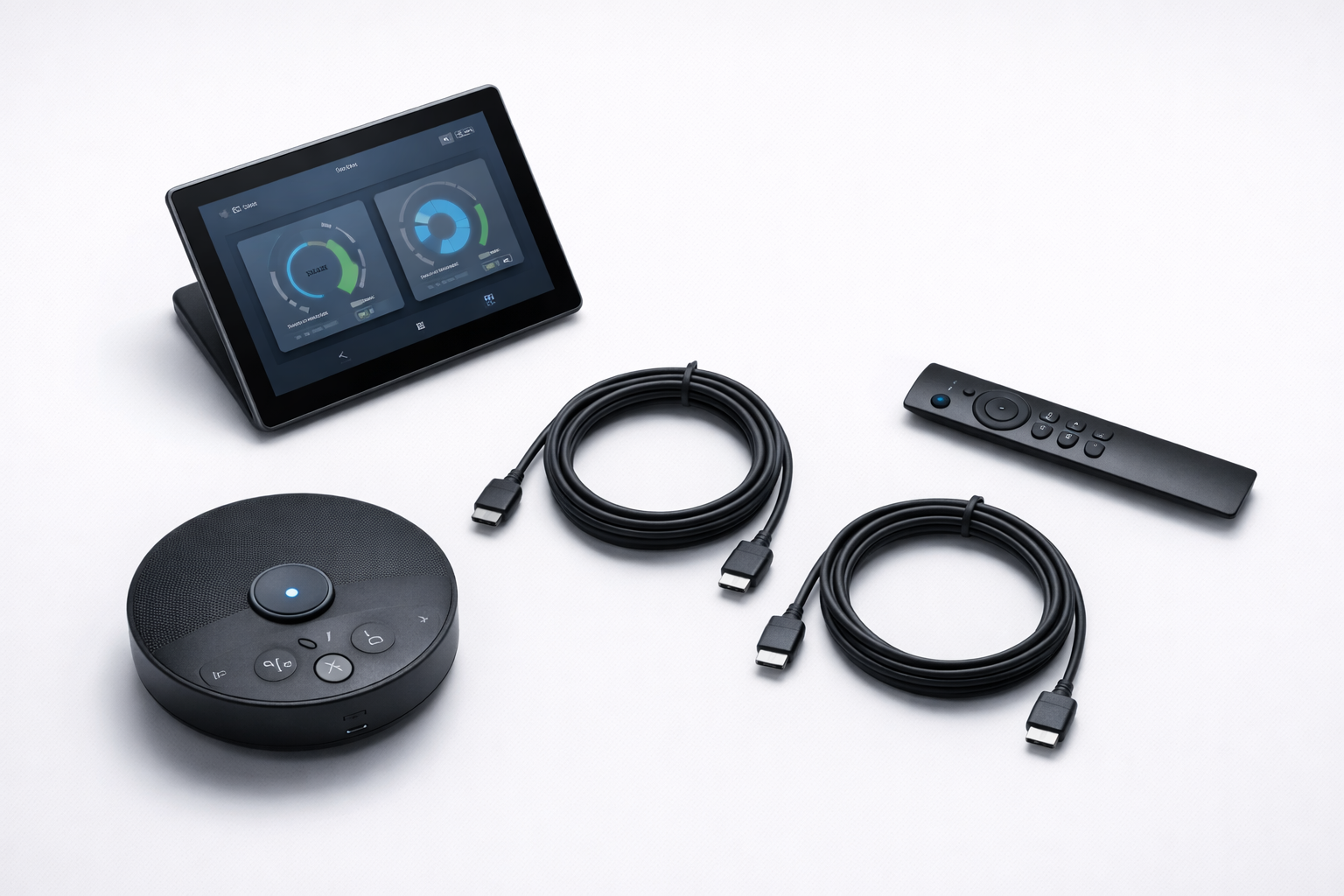
- Remote device management. Teams Admin Center, Zoom Device Management, and Crestron XiO Cloud let IT monitor room status, push updates, and troubleshoot without being physically present. A room that’s offline or has an update pending should be visible to IT before a user calls to complain.
- Centralized room scheduling integration. Every room should be bookable through your calendar system (Outlook/Exchange or Google Workspace) with booking status visible on a panel outside the room. Rooms not integrated into the booking system get double-booked, squatted, or go unused.
- Configuration templates. When you deploy a new room or replace hardware, you should be restoring from a configuration template — not setting up from scratch. Document your standard configuration for each room tier and maintain those templates as your platform evolves.
- Spares inventory. Maintain a small inventory of spare devices — at least one of each critical component per tier — to enable rapid swap-out when hardware fails without waiting on shipping lead times.
How to roll out conference room standardization without disrupting operations
Phase 1 — Foundation
- Audit current rooms at every location
- Define room size tiers and equipment standards
- Select video platform and get leadership buy-in
- Pilot at one high-traffic site for 30–60 days
Phase 2 — Rollout
- Deploy location by location, highest-visibility sites first
- Build configuration templates from pilot learnings
- Train users at each location (10-min room orientation)
- Set up remote device management and scheduling integration
The Bottom Line on Conference Room Standardization
Conference room standardization is not a one-time purchase — it’s a program. The organizations that do it well define the standard once, enforce it consistently, and manage it centrally. The result is conference rooms that just work at every location, every time — and an IT team that can support them without being on-site.
The ongoing cost of inconsistency — in IT support time, in user productivity, in the impression made on clients who walk into a room that doesn’t work — almost always exceeds the cost of getting the standardization right from the start.
Treat conference room standardization as a program, not a series of individual room purchases. The difference between an organization that does this well and one that doesn’t is almost entirely in the planning — not the budget.
WCC Technologies Group designs, installs, and supports conference room AV systems across Southern California — including Microsoft Teams Rooms, Zoom Rooms, Logitech, QSC, and Shure deployments for multi-site collaboration environments. The right foundation starts with proper cabling infrastructure in every room. If you’re planning a multi-site AV standardization project, talk to one of our engineers.
Frequently Asked Questions
How long does a conference room standardization project take?
Timeline depends on the number of locations, rooms per location, and complexity of the room tiers involved. A single-site pilot deployment typically takes two to four weeks from design to commissioning. A multi-site rollout for an organization with 5–10 locations might take three to six months for a phased deployment. The planning and standardization definition phase — selecting the platform, defining room tiers, and getting leadership buy-in — typically adds four to eight weeks before deployment begins.
What does conference room AV standardization cost?
Per-room costs vary significantly by room tier and equipment selection. A huddle space with an all-in-one bar solution might run $3,000 to $6,000 installed. A fully equipped medium conference room with ceiling microphone array, AI-tracking camera, touch panel, and Teams Rooms compute might run $15,000 to $30,000 installed. A large boardroom with professional DSP, multi-camera, and custom control can run $40,000 to $80,000+. Volume across multiple locations typically improves per-room pricing on hardware and installation labor.
Microsoft Teams Rooms vs. Zoom Rooms — which is better?
Neither is objectively better — the right choice depends on your organization’s existing platform. If your users are on Microsoft 365 and Teams is your primary communication platform, Teams Rooms is the natural fit. If your organization runs Zoom as its primary meeting tool, Zoom Rooms delivers a more seamless experience. The worst outcome is supporting both simultaneously across your locations — pick one and standardize on it. WCC is platform-agnostic and will recommend based on your environment.
What network infrastructure does a conference room need?
Every conference room should have a dedicated wired network connection for the room compute device — not just wireless. A 4K video call can consume 20–30 Mbps of bandwidth, and shared wireless networks in dense office buildings frequently create reliability issues during meetings. A separate wireless SSID for guest devices keeps guest traffic off the corporate network. Proper network infrastructure in conference rooms is a prerequisite for reliable standardization — rooms with only wireless connectivity will have ongoing reliability problems regardless of the AV equipment selected.
Planning a multi-site AV rollout?
Talk to a Conference Room AV Engineer
We’ll help you define your room standard, select the right platform, and deploy it consistently across every location.