
How Much Does Warehouse WiFi Installation Cost?
Warehouse WiFi is one of the most frequently mispriced IT projects in the distribution and logistics market. A business owner gets one quote for $8,000 and another for $65,000 for what sounds like the same scope — and has no framework for understanding why the numbers are so far apart. This guide breaks down what actually drives warehouse WiFi installation cost and what you should expect to pay for a properly engineered system.
The Short Answer
A professionally engineered warehouse WiFi installation in Southern California typically costs $25,000–$150,000+ depending on facility size, ceiling height, AP count, cabling complexity, and platform choice. Here's how to think about the range:
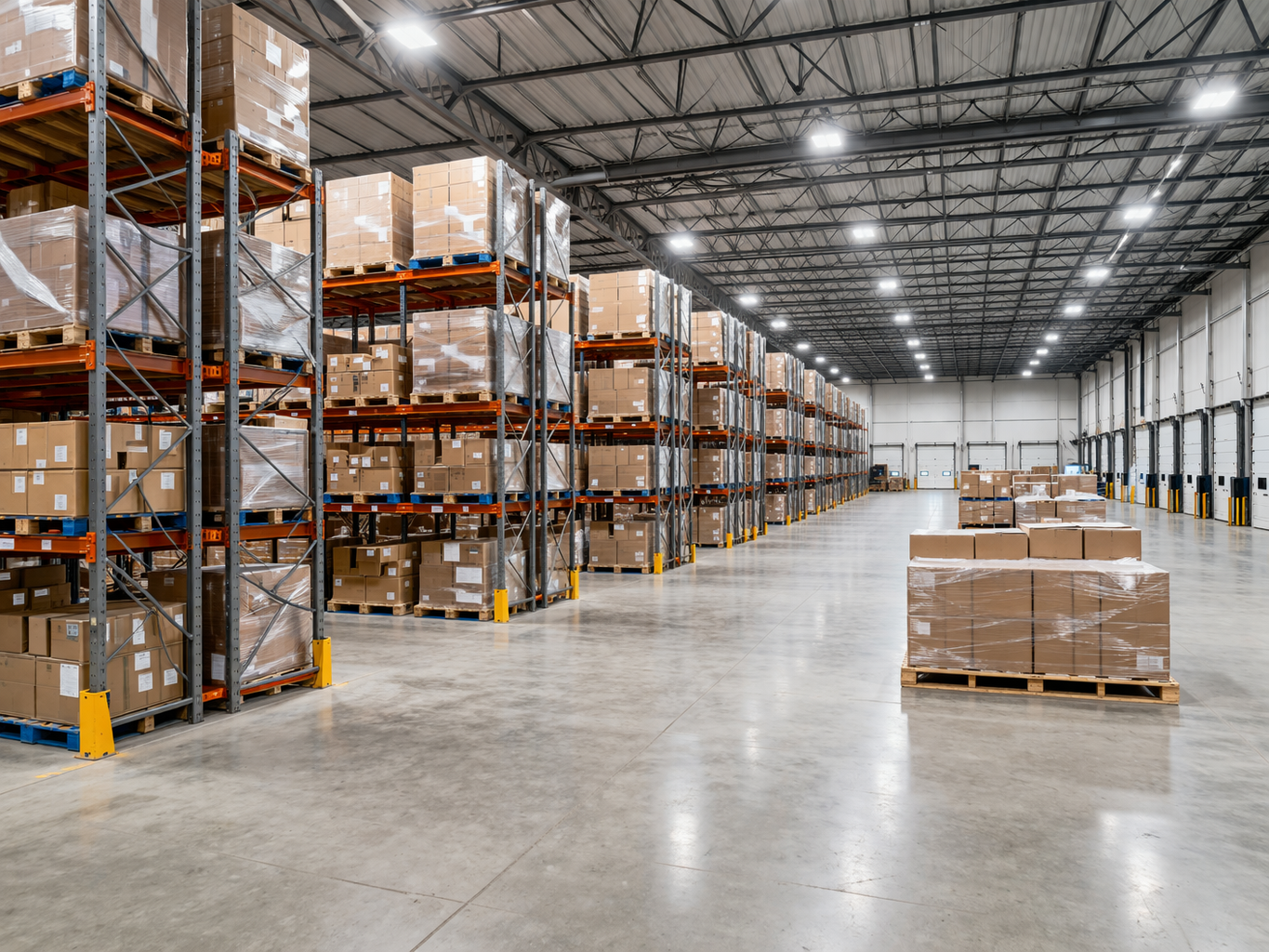
High-bay warehouse environments require directional AP placement engineered for the actual RF environment — not a standard office deployment repackaged.
| Facility Size | Typical AP Count | Estimated Cost Range |
|---|---|---|
| Up to 100,000 sq ft | 15–30 APs | $18,000–$45,000 |
| 100,000–300,000 sq ft | 30–70 APs | $40,000–$90,000 |
| 300,000–600,000 sq ft | 70–140 APs | $85,000–$160,000 |
| 600,000+ sq ft | 140+ APs | $150,000+ |
These are all-in numbers — equipment, cabling, installation, configuration, and post-installation validation. They assume a standard high-bay distribution center with racking heights of 25–35 feet. Cold storage, multi-building campuses, and facilities with complex dock configurations will be at the higher end of each range.
What Drives the Cost
1. AP Count — The Biggest Variable
Warehouse WiFi AP count is driven by ceiling height, racking density, aisle length, and device density — not square footage alone. A 200,000 square foot facility with 40-foot clear-span ceilings and 60-foot aisles needs fewer APs than the same square footage with 24-foot ceilings and tight racking, because directional high-bay antennas can cover longer distances at height.
A proper Ekahau predictive site survey is the only reliable way to determine the right AP count for your facility. Rules of thumb like "one AP per 5,000 square feet" consistently produce either over-built or under-performing systems.
2. Cabling — Often Underestimated
Cat6A home-runs to every AP mounting point add up fast in a warehouse environment. A 300,000 square foot facility with 60 APs mounted at 30 feet requires approximately 60 long cable runs — many over 200 feet — plus conduit in dock door areas, man-lift time for high-bay pulls, and Fluke certification on every run. Cabling often represents 35–45% of total project cost in high-bay environments.
3. Platform and AP Hardware
Enterprise WiFi hardware varies significantly in cost and capability:
- Cisco Meraki: $800–$1,400 per AP for warehouse-grade models. Cloud-managed, excellent for multi-site operations, ongoing licensing cost (~$200–$300/AP/year).
- Aruba Networks: $600–$1,200 per AP. Strong for high-density environments, flexible licensing.
- Ubiquiti UniFi: $200–$500 per AP. Lower hardware cost, no licensing, requires more hands-on management.
For a 50-AP Cisco Meraki deployment, hardware alone is $40,000–$70,000 before any installation or cabling.
4. Wireless Site Survey
A professional Ekahau wireless site survey for a warehouse facility runs $1,500–$5,000 depending on facility size. This is non-negotiable for high-bay environments — the physics of warehouse RF are complex enough that guessing AP placement produces systems that fail scanner operations. The survey cost is recovered many times over by getting AP count and placement right the first time.
5. Switching Infrastructure
If your existing IDF switching can't support the additional PoE load of new APs, you'll need new PoE switches. Budget $2,000–$8,000 per IDF for switch upgrades depending on port count and platform.
What the Low Quotes Are Missing
When a warehouse WiFi quote comes in significantly below the ranges above, here's what's usually missing:

Cabling to high-bay AP mounting points is one of the most underestimated cost components in warehouse WiFi projects.
- No site survey — AP count is guessed from floor plan square footage
- Consumer or prosumer hardware — not rated for 24/7 warehouse operations
- No high-bay antenna selection — standard omnidirectional APs mounted in high-bay environments produce massive dead zones at ground level
- No post-installation validation — coverage is assumed, not measured
- Subcontracted installation — the low-bid electrician or handyman won't catch RF problems
The real cost of cheap warehouse WiFi: A warehouse WiFi system that fails to cover dock doors, produces scanner timeouts in pick aisles, or drops WMS connections during peak shift changes costs far more in operational downtime and productivity loss than the difference between a $25,000 and a $50,000 installation quote.
How to Get an Accurate Quote
To get a meaningful warehouse WiFi quote, provide the following to any contractor you're evaluating:
- Facility square footage and ceiling height
- Racking type and height
- Number of dock doors
- Scanner and mobile device count
- WMS platform in use
- Current IDF locations and switching capacity
- Any existing WiFi infrastructure to be retained or replaced
Any contractor who can quote a warehouse WiFi installation without this information is guessing — and you'll pay for that guess in post-installation remediation.
Need a Warehouse WiFi Quote in Southern California?
WCC provides Ekahau-based warehouse WiFi installation throughout the Inland Empire, Los Angeles, Orange County, and San Diego. Tell us your facility size and we'll give you an honest scope and number.
Request a Warehouse WiFi AssessmentWCC Technologies Group provides enterprise WiFi installation for distribution centers, fulfillment operations, and industrial facilities throughout Southern California. Learn more about our warehouse WiFi installation services.